
안녕하세요. 어비스픽 대표 큰돌입니다.
이번 글에서는 업비트에서 비트겟으로 송금하는 방법을 설명합니다.
Hello, this is Keundol, CEO of AVISSPICK.
In this post, I will explain how to transfer funds from Upbit to Bitget.
어비스픽은 비트겟 공식 파트너로 활동하고 있습니다.
이미 OKX, Gate.io 거래소와도 파트너십을 맺고 있으나, 현재는 운영 효율을 위해 비트겟 중심으로 서비스하고 있습니다.
AVISSPICK is an official partner of Bitget.
Although we also have partnerships with OKX and Gate.io, we are currently operating mainly with Bitget for efficiency.
비트겟 거래소 소개
먼저 비트겟이 어떤 거래소인지 간단히 설명합니다.
비트겟은 코인마켓캡 기준 세계 상위 6위권에 해당하는 글로벌 거래소입니다.
First, let me briefly explain what Bitget is.
Bitget is a global cryptocurrency exchange ranked around top 6 worldwide according to CoinMarketCap.
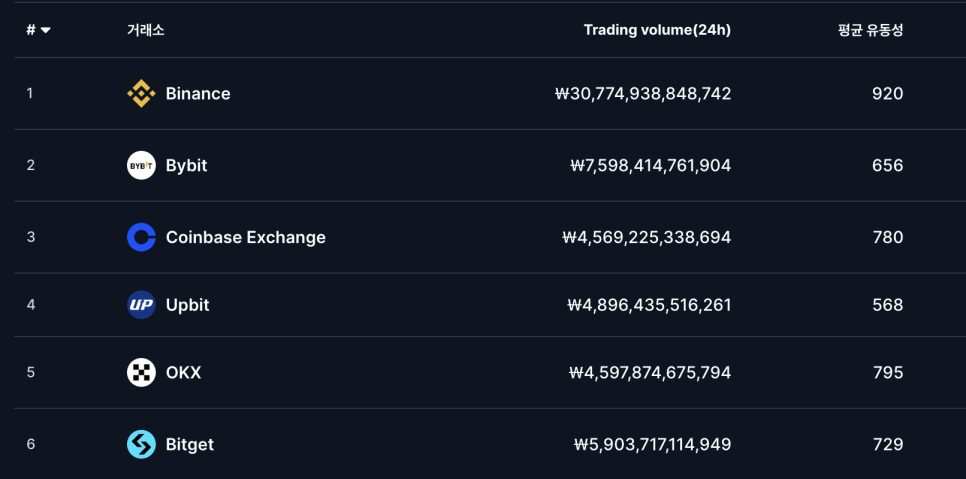
거래소 규모를 간단히 정리하면,
바이낸스 → 바이비트 → (코인베이스, 업비트, OKX, 비트겟) 정도의 구도로 이해하시면 됩니다.
In terms of exchange scale,
it can roughly be understood as Binance → Bybit → (Coinbase, Upbit, OKX, Bitget).
이제 비트겟 가입이 완료되었다고 가정하겠습니다.
비트겟 가입은 아래 링크를 통해 진행할 수 있습니다.
Now, let’s assume you have completed Bitget registration.
You can sign up for Bitget through the link below.
업비트 역시 가입되어 있다고 가정하겠습니다.
We will also assume that you are registered on Upbit.
업비트 입금관련 안내
단, 업비트에 처음 입금하는 경우 송금 지연(24시간)이 발생할 수 있습니다.
불법 거래 방지를 위해 케이뱅크에서 업비트로 입금된 금액은 약 하루 동안 해외 거래소 송금이 제한될 수 있습니다.
However, if this is your first deposit on Upbit, transfers may be delayed.
For anti-money laundering purposes, funds deposited from K-Bank to Upbit may be restricted from overseas transfers for about one day.
1.테더 구매
업비트에 원화를 입금했다면, 해당 금액으로 USDT(테더)를 구매합니다.
시장가 또는 지정가 중 원하는 방식으로 구매하면 됩니다.
Once you deposit KRW into Upbit, purchase USDT (Tether) with that amount.
You can choose either a market order or a limit order.
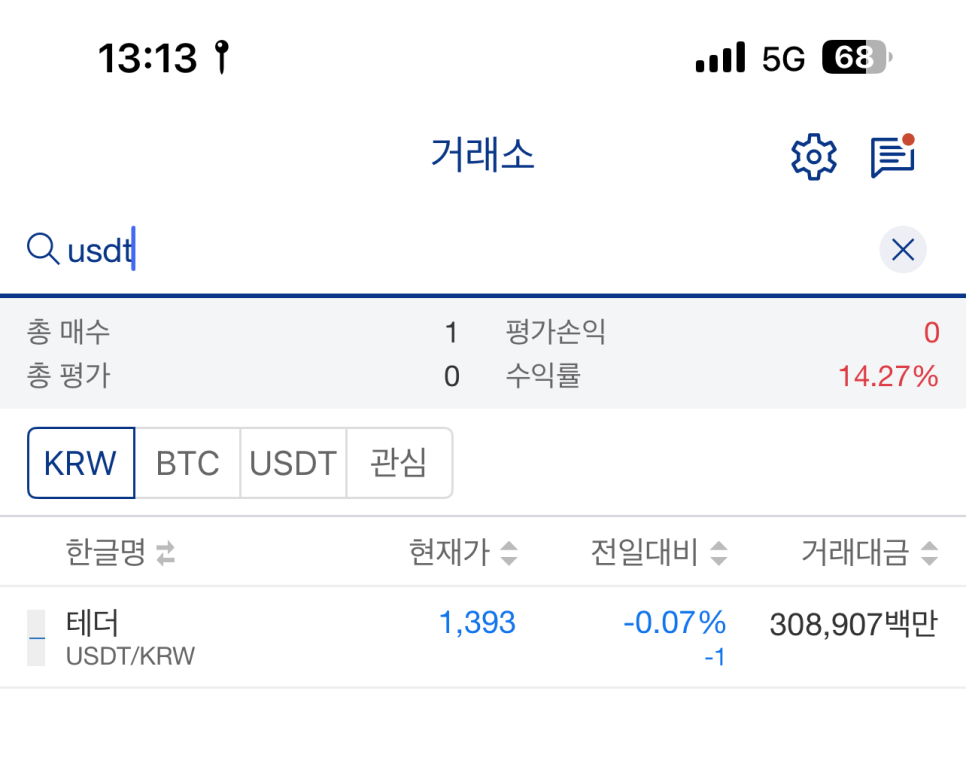
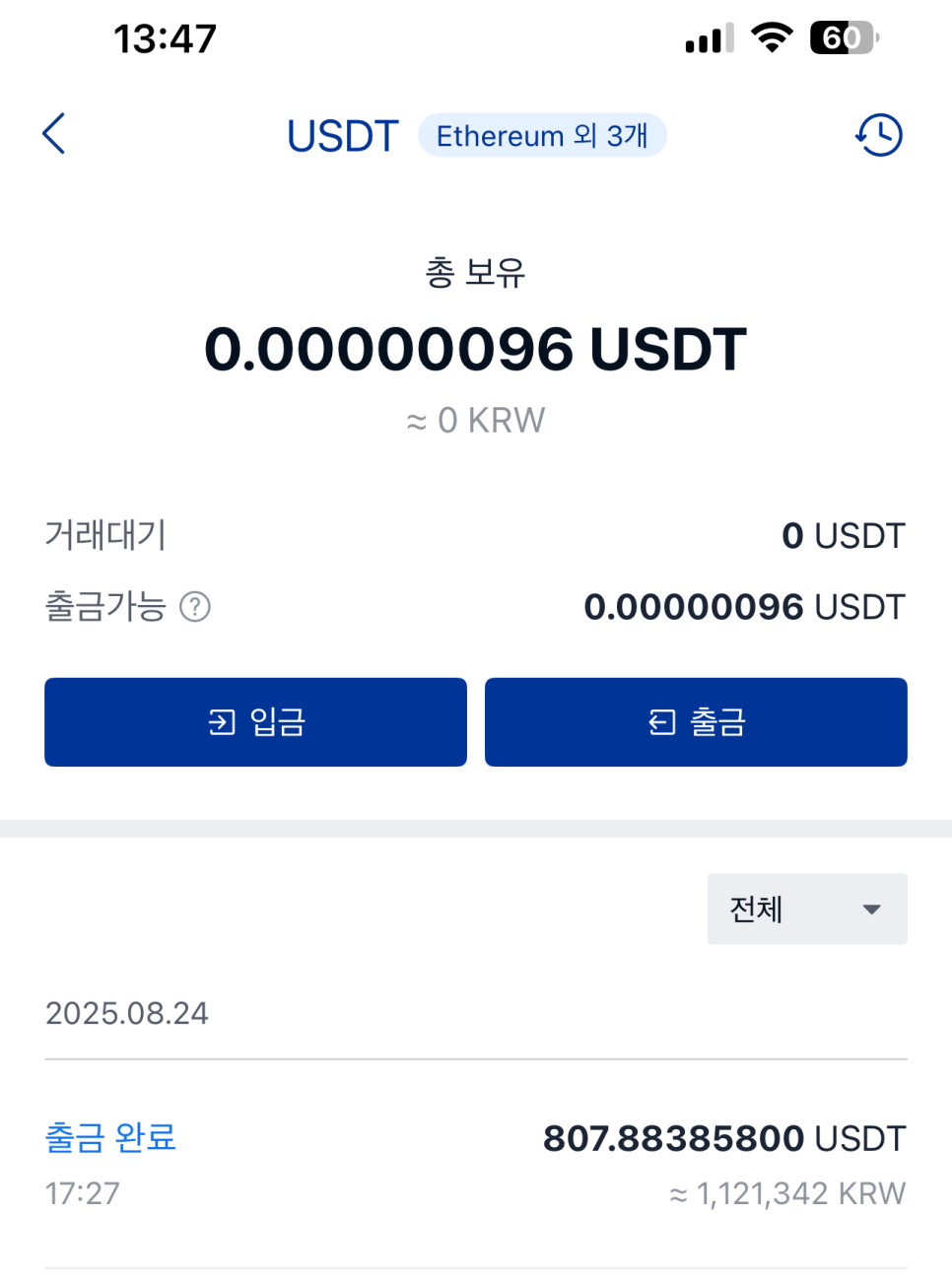
USDT를 구매한 후, 출금 버튼을 눌러줍니다.
이는 원화를 코인 거래에 사용할 수 있는 단위로 바꾸는 과정이라고 보시면 됩니다.
After purchasing USDT, click the withdrawal button.
This step converts your KRW into a unit usable in the crypto market.
2.출금 네트워크 선택
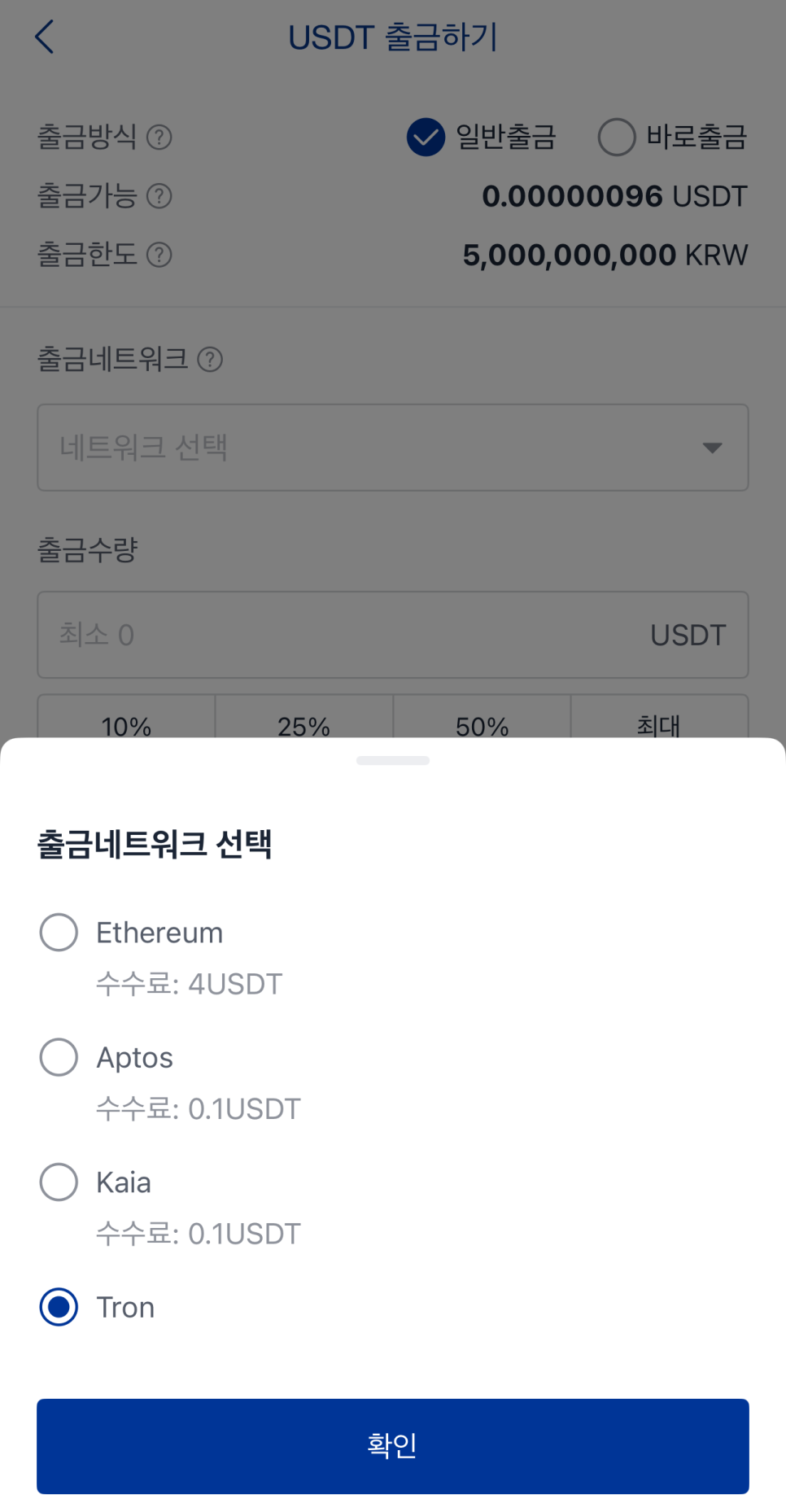
출금 네트워크를 선택합니다.
이더리움 네트워크는 수수료가 비싸므로, 일반적으로 트론(Tron) 네트워크를 사용합니다.
Next, select the withdrawal network.
Since Ethereum fees are expensive, the Tron network is commonly used.
3. 비트겟 - 입금 누르기
이제 송금받을 입금 주소가 필요합니다.
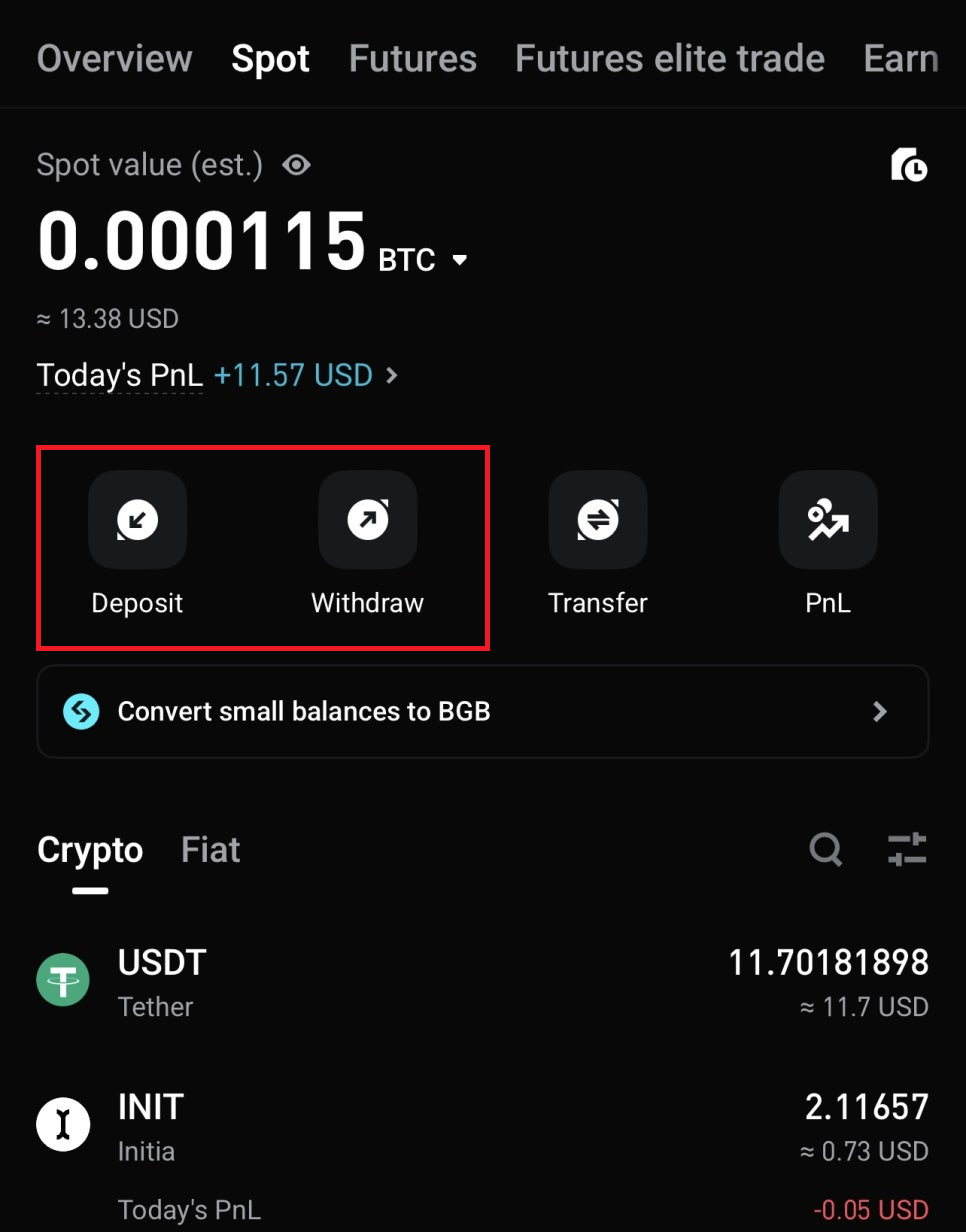
비트겟 앱에서 SPOT 메뉴로 이동한 후 Deposit(입금)을 선택합니다.
Now you need a deposit address to receive the funds.
Open Bitget, go to the SPOT section, and select Deposit.
Deposit은 입금을 의미하며, Withdraw는 출금을 의미합니다.
수익을 낸 후에는 Withdraw를 통해 다시 업비트로 송금하고 원화로 환전할 수 있습니다.
Deposit means incoming funds, while Withdraw means outgoing funds.
After making profits, you can withdraw back to Upbit and convert to KRW.
4. 비트겟 - 입금 코인 선택
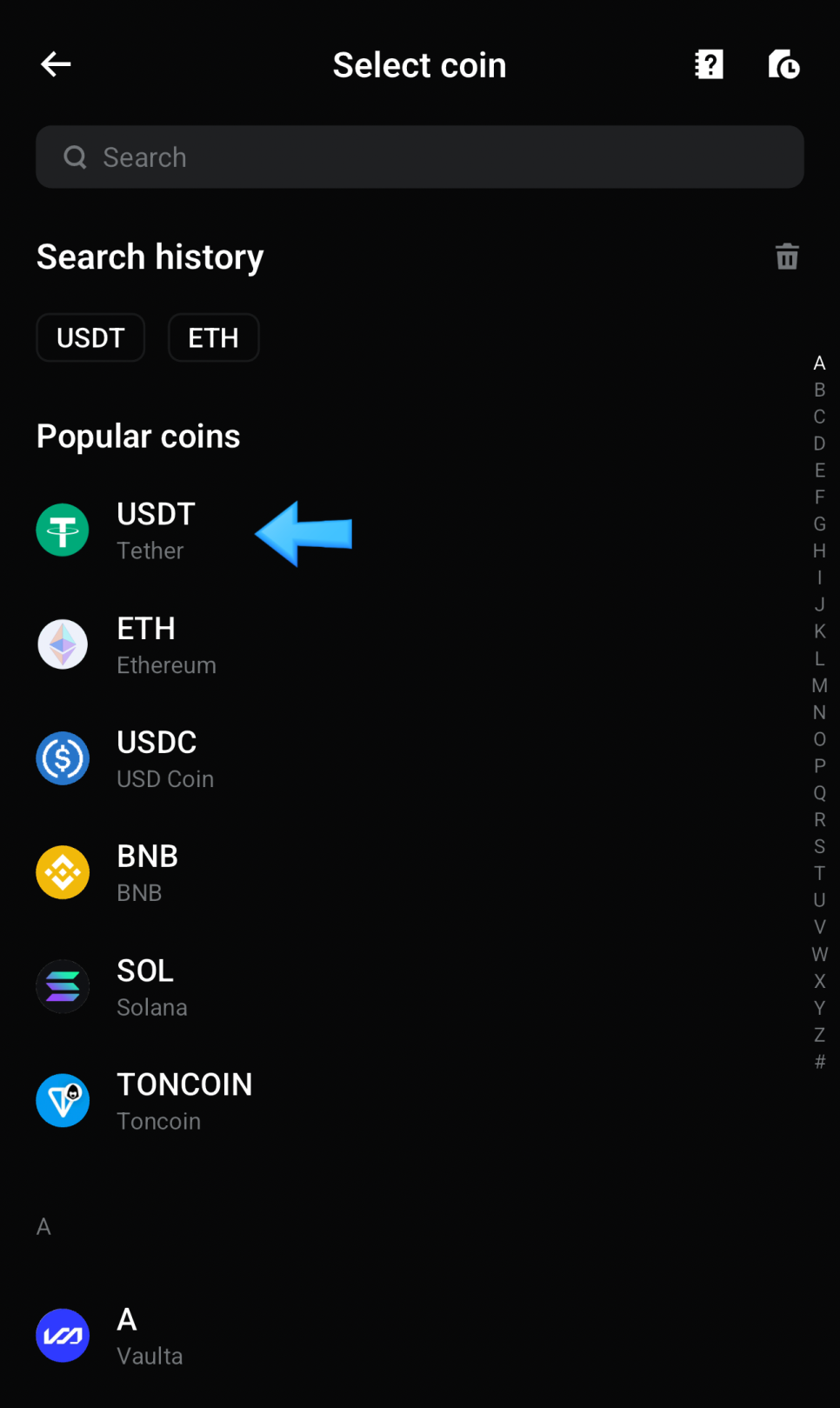
입금할 코인으로 USDT를 선택합니다.
업비트에서 사용한 코인과 동일하게 맞춰야 합니다.
Select USDT as the deposit coin.
This must match the coin used on Upbit.
5. 비트겟 - 네트워크 설정
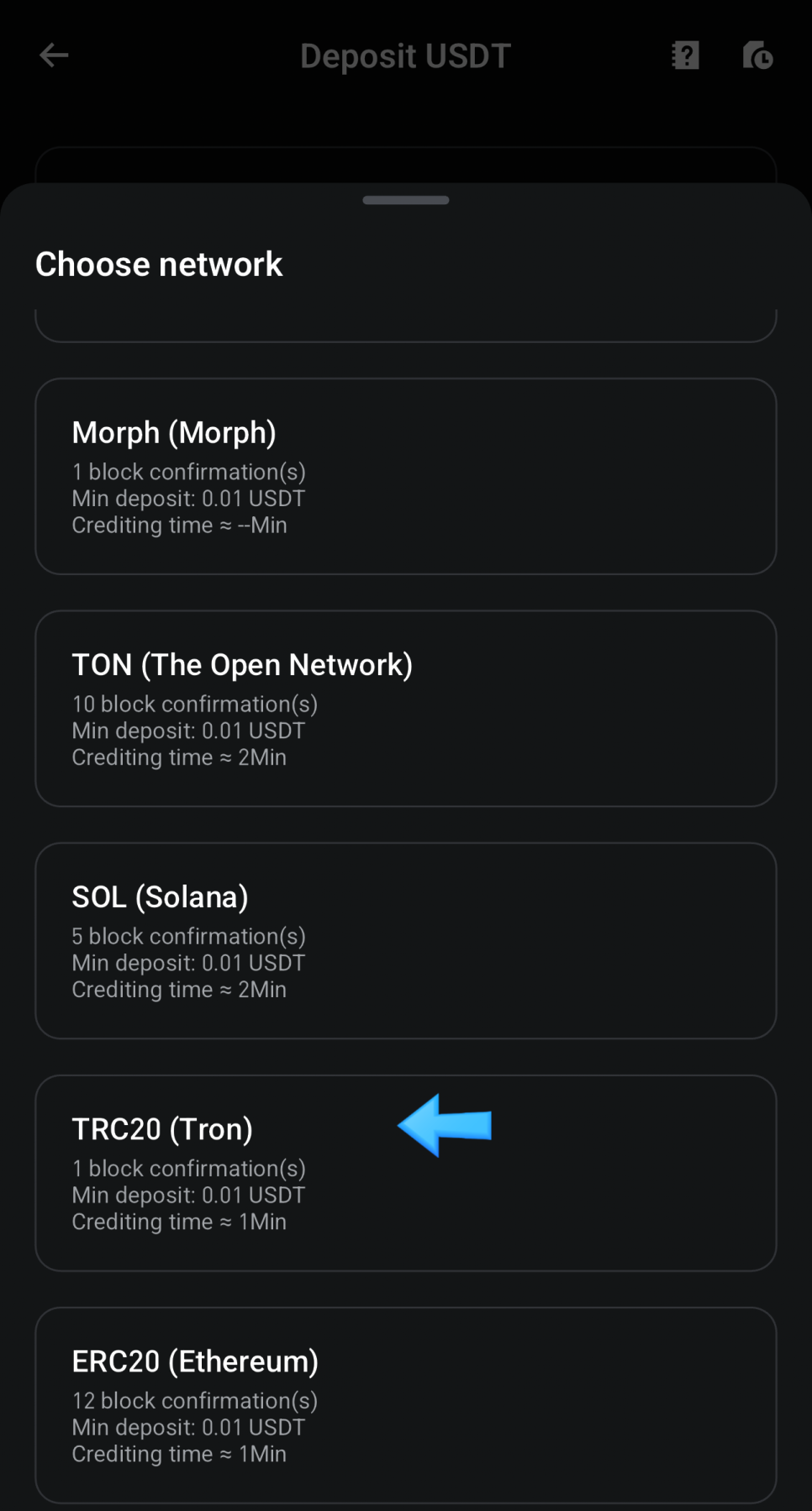
네트워크 역시 업비트와 동일하게 설정합니다.
트론 네트워크를 선택하며, TRC20이 트론 네트워크입니다.
Set the network the same as Upbit.
Choose Tron, which corresponds to TRC20.
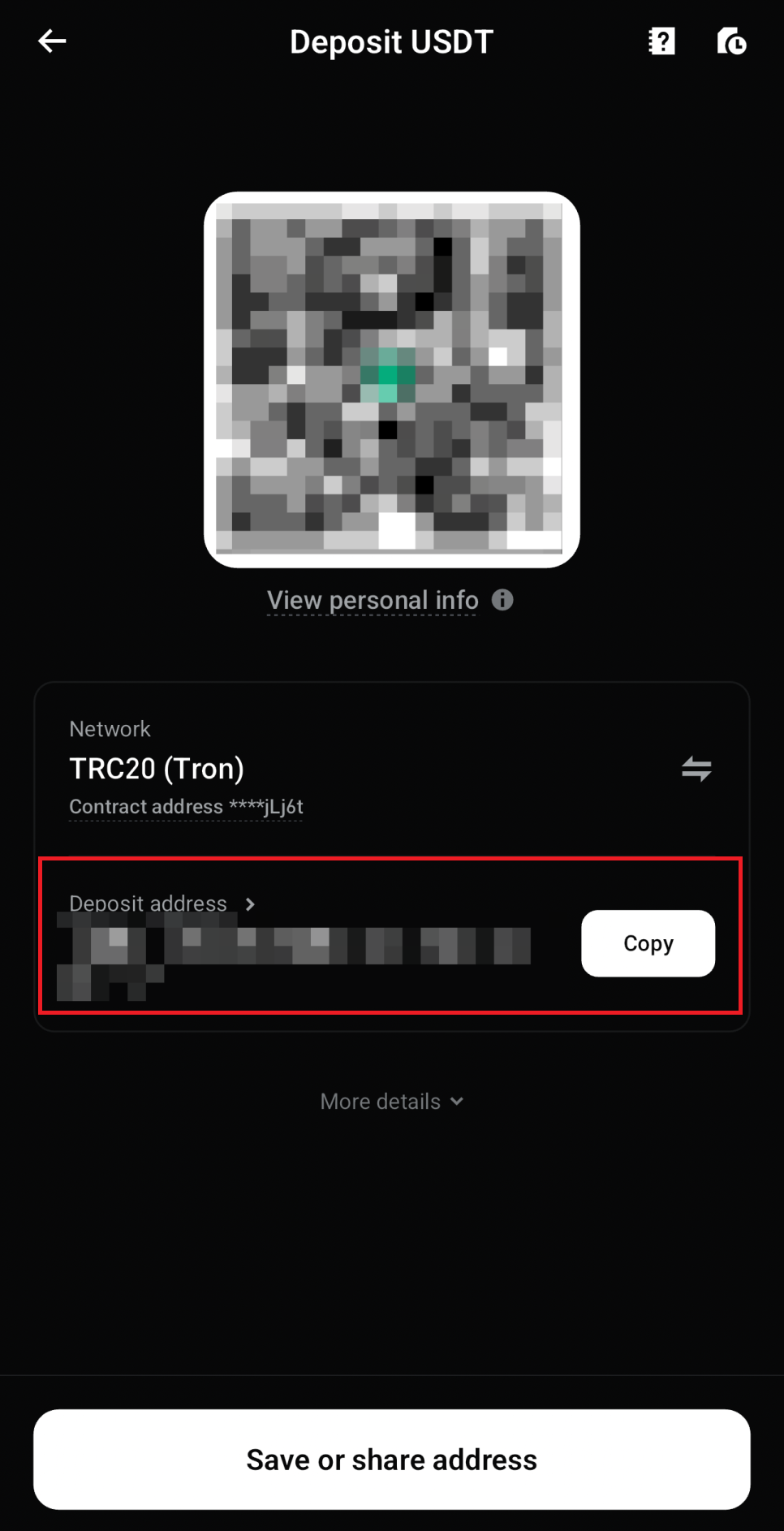
트론 네트워크를 선택하면 입금 주소가 표시됩니다.
Copy 버튼을 눌러 주소를 복사한 뒤 업비트 출금 주소란에 붙여넣으면 됩니다.
Once Tron is selected, the deposit address will appear.
Use the copy button and paste the address into the Upbit withdrawal field.
주소 관련 주의사항
주소를 직접 입력하는 것은 실수 위험이 있으므로 반드시 다음의 주소를 복사해서 사용해야 합니다.
Manually typing the address may cause mistakes, so always use copy and paste.
처음 송금할 때는 반드시 10 USDT 정도로 테스트 송금을 권장합니다.
송금은 보통 1분이하가 소요되나 길게는 10분 정도 소요됩니다.
For your first transfer, always test with around 10 USDT.
Transfers usually take between 1 and 10 minutes.
6. 자동매매용 CopyTrading으로 Transfer하기
송금이 완료되면 비트겟의 SPOT 계좌에서 입금 내역을 확인할 수 있습니다.
이후 선물 거래나 카피 트레이딩을 위해 계좌 이동을 진행할 수 있습니다.
Once completed, you can confirm the funds in your Bitget SPOT account.
You can then transfer the funds for futures or copy trading.
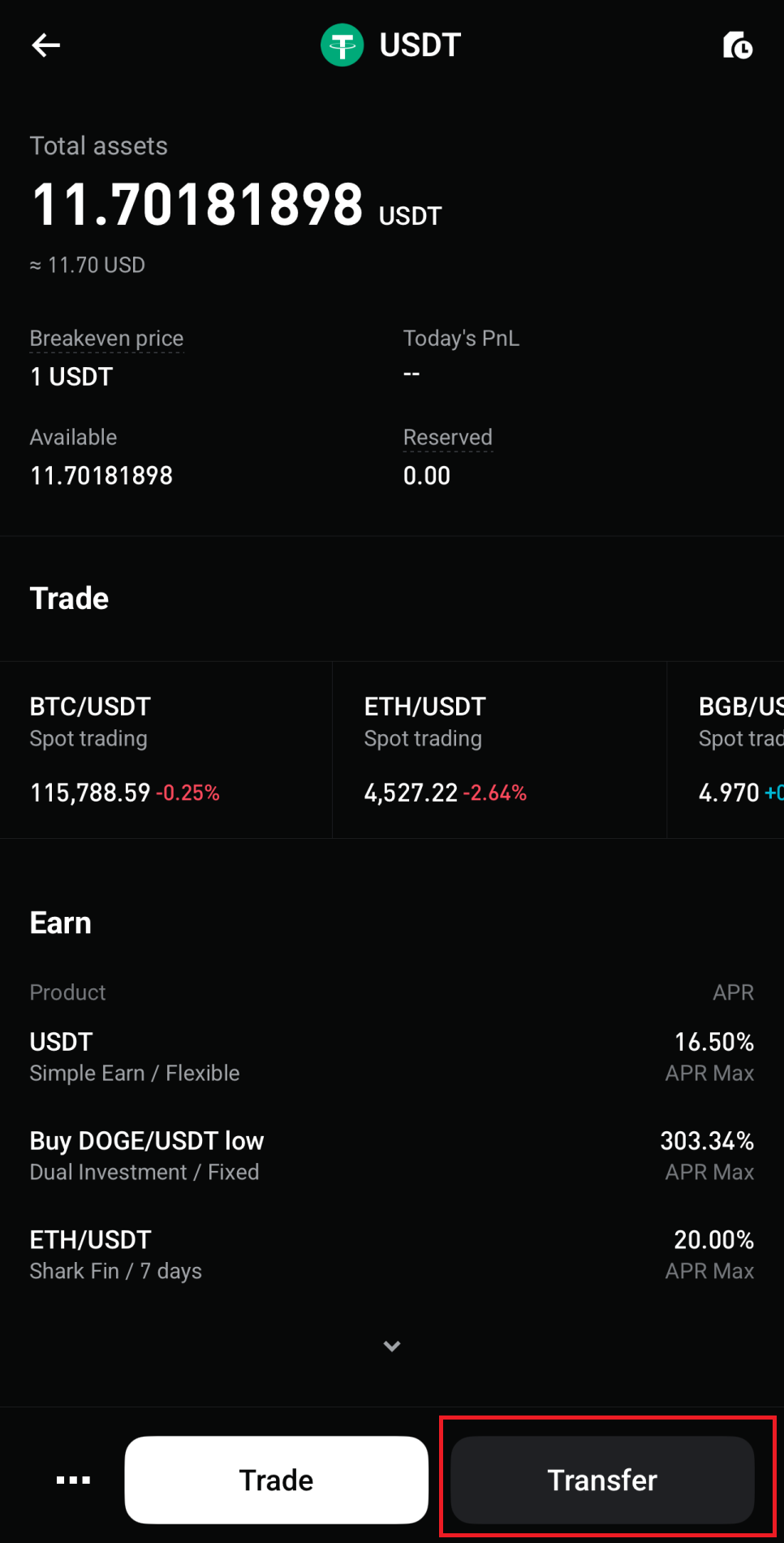
이후에 비트겟에서 SPOT → Transfer를 선택한 후 사용할 계좌를 고르면 됩니다.
현물거래만 할 경우 spot 그대로 놓으면 되며
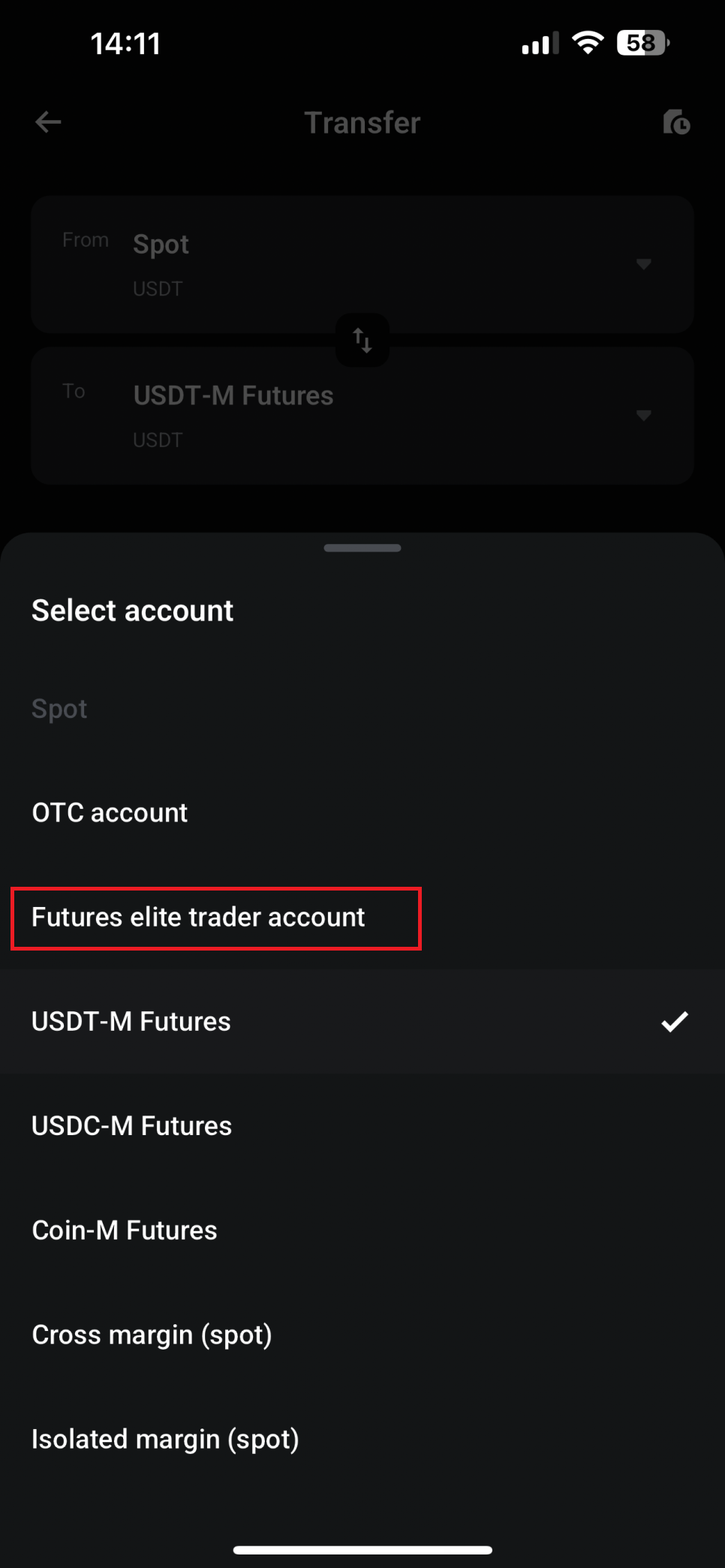
자동매매 - 카피 트레이딩의 경우 Futures Elite 계좌로 변경해놓으면 됩니다.
On Bitget, select SPOT → Transfer and choose the target account.
For copy trading, select the Futures Elite account.
참고
스스로 선물 거래를 진행할 경우에는 Futures 계좌,
현물 거래를 할 경우에는 Spot 계좌,
자동매매(카피 트레이딩)를 이용할 경우에는 Futures Elite Trader Account로 설정하면 됩니다.